Your Website and Your CRM Aren't Talking — and Your Business Is Paying for the Silence
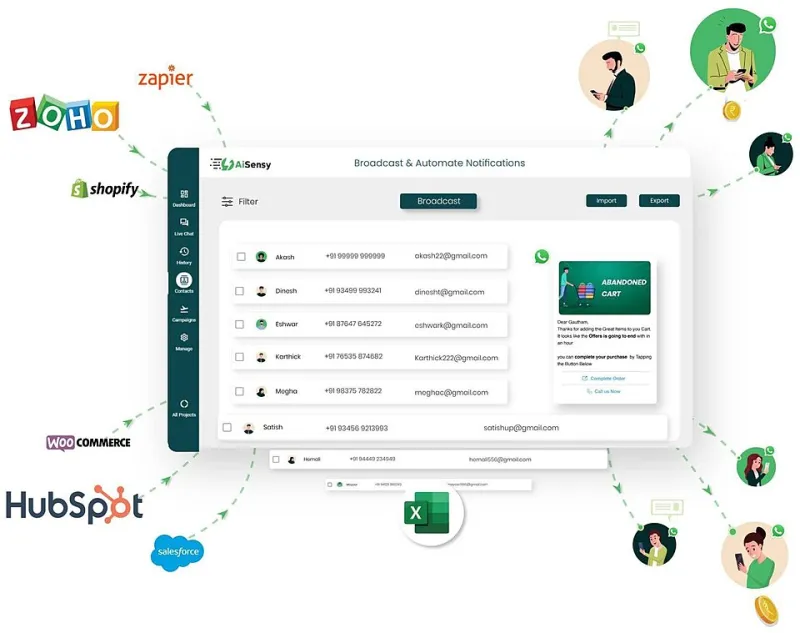
Photo: Shivam, CC BY-SA 4.0, via Wikimedia Commons
Here's a scenario that'll feel uncomfortably familiar to a lot of UK business owners. A potential customer fills in your contact form on a Tuesday afternoon. Your CRM — let's say it's HubSpot, or Zoho, or even a well-loved spreadsheet dressed up with a Pipedrive login — doesn't get that lead until someone manually copies it across on Thursday morning. By then, the prospect has already gone with someone else.
That's not a website problem. That's not a CRM problem. That's an integration problem. And it's one of the most common, most expensive, and least-talked-about issues in UK web strategy today.
Two Systems, One Broken Experience
There's a persistent myth in small business thinking that your website and your CRM are fundamentally different tools serving different purposes. The website is marketing. The CRM is sales. They sit in different departments, get managed by different people, and get reviewed in different meetings.
But your customers don't experience your business in departments. They fill in a form, they expect a call. They download a brochure, they expect a follow-up email that actually references what they downloaded. They browse three product pages, abandon a quote request halfway through, and they expect — increasingly — that someone will notice.
When your website and CRM aren't properly integrated, none of that happens. Instead, you get manual data entry, missed follow-ups, duplicate records, and a sales team working from information that's already out of date. The website does its job of attracting attention. The CRM does its job of managing contacts. But the handshake between them? Completely fumbled.
What Poor Integration Actually Looks Like
It's worth being specific here, because "poor integration" can mean a lot of things.
At the most basic level, it might mean your web forms dump enquiries into an email inbox rather than directly into your CRM. Someone has to read that email, create a new contact, log the enquiry, and assign it to the right person. Every one of those steps is a chance for something to go wrong — or just not happen at all.
A step up from that is partial integration: forms do feed into the CRM, but the data mapping is a mess. The "message" field becomes a note nobody reads. The source field is blank. The lead score isn't triggered. You've technically got the lead in your system, but the context that makes it useful has been lost in transit.
Then there's the more sophisticated failure: integration that worked when it was set up eighteen months ago, but has since broken silently because a plugin updated, an API token expired, or someone changed a field name in the CRM without telling the developer. Nobody noticed because nobody was monitoring it. Leads are disappearing into a void, and the sales team just assumes enquiries have gone quiet.
The Data Quality Problem Nobody Wants to Own
Beyond the obvious lead-loss issue, there's a subtler problem that compounds over time: dirty data.
When your website and CRM aren't in sync, you end up with inconsistent records. A customer updates their email address through a form on your site, but that change doesn't propagate back to the CRM. Your marketing team sends a campaign to the old address. It bounces. The customer wonders why you're so disorganised. You wonder why your open rates are dropping.
Or consider the reverse: a contact in your CRM has been marked as a customer for two years, but your website is still serving them top-of-funnel content because it has no idea who they are. There's no personalisation, no recognition, no sense that you actually know them. For a local Surrey business where relationships matter, that's a missed opportunity every single time they visit your site.
Why "Good Enough" Integration Isn't
A lot of businesses think they've solved this with a Zapier workflow or a basic native connector. And to be fair, those tools can do a decent job for simple use cases. But they're often the digital equivalent of a bodge job — functional until something shifts, and then mysteriously broken with no obvious reason why.
The problem is that integration isn't a one-time task. It's an ongoing relationship between systems that change, update, and evolve. If your web developer set up a CRM connection two years ago and hasn't touched it since, it's worth asking some pointed questions about whether it's still doing what you think it's doing.
Proper integration means thinking through the entire data journey: what gets captured, what gets mapped, what triggers what, and how errors are caught and flagged. It means testing not just that data arrives, but that it arrives correctly and completely. And it means having someone who understands both the web platform and the CRM well enough to spot when the two are drifting apart.
Practical Principles for Getting It Right
If you're an SME looking to tighten up the connection between your website and your CRM, here's where to start:
Map your customer journey first. Before touching any settings, document every touchpoint where your website collects data or could collect data. Contact forms, live chat, quote tools, newsletter signups, gated content downloads — all of it. Then map what should happen in your CRM at each point.
Don't rely on email as a bridge. If your current setup involves emails being forwarded or manually processed, that's a gap, not a system. Fix it.
Use native integrations where they exist. If your CRM has a dedicated WordPress plugin or a direct API connector for your platform, use it in preference to third-party automation tools. Native connections tend to be more stable and better maintained.
Build in monitoring. Set up notifications for integration failures. Most CRM platforms can alert you when a sync fails — make sure someone is actually receiving and acting on those alerts.
Audit regularly. Every six months, check that data is flowing correctly end to end. Submit a test form. Check it appears in the CRM with the right fields populated. It takes ten minutes and can save you months of lost leads.
The Bigger Picture
A website that looks brilliant and performs well technically is still only half the story. The other half is what happens after someone engages with it — and that's entirely dependent on how well your web presence is wired into the systems that run your business day to day.
For businesses across Surrey and beyond, the competitive edge increasingly comes not from having the flashiest site, but from having the most joined-up operation. A seamless handoff from website to CRM means faster follow-ups, better data, smarter marketing, and ultimately more closed deals.
The technology to make this work properly is genuinely accessible — it's not the preserve of enterprise budgets or in-house dev teams. But it does require someone who understands both sides of the equation and is willing to do the unglamorous work of making them actually talk to each other.
That forgotten handshake? It's time to make the introduction properly.