Your Website Is Probably Broken in Ways You Can't See: A No-Nonsense Audit Guide
Let's be direct about something the web industry doesn't love to admit: a lot of professional-looking websites are quietly falling apart. Not in ways that are immediately obvious — no missing images, no error pages — but in ways that steadily drain your marketing spend, frustrate your customers, and leave you exposed to risks you'd rather not think about.
The uncomfortable truth is that many web designers and agencies have little incentive to flag these issues proactively. Pointing out technical debt or security vulnerabilities often means admitting the original work wasn't as solid as it should have been, or generating a conversation about costs the client wasn't expecting.
So here's a practical guide to doing your own health check — a way of asking the right questions before someone else's oversight becomes your problem.
Start With What Your Visitors Actually Experience
Page Speed: The Silent Conversion Killer
Open Google's free PageSpeed Insights tool (pagespeed.web.dev) and drop in your homepage URL. Then try your most important product or service page. You're looking for a score above 70 on mobile — anything below 50 is a genuine problem.
But don't just look at the score. Scroll down to the diagnostics section and look for specific culprits. Unoptimised images are the most common offender on UK SME sites — particularly sites that were built a few years ago before anyone was paying serious attention to Core Web Vitals. If your images are being served at 2MB each, that's not a design choice, it's a mistake.
Also check your Largest Contentful Paint (LCP) figure. This measures how long it takes for the main content of a page to become visible. Google's threshold for a 'good' rating is under 2.5 seconds. If you're sitting at 6 or 7 seconds, you're losing visitors before they've read a single word.
Mobile Rendering: Don't Assume It Works
Resize your browser window to simulate a phone screen — or better yet, actually pick up your phone and navigate your site as a customer would. Go through the full journey: find a product or service, look for contact information, try to make an enquiry or purchase.
Look for text that's too small to read without zooming, buttons that are too close together to tap accurately, forms that require awkward horizontal scrolling, and images that bleed off the edge of the screen. These issues are incredibly common on sites that were designed primarily on desktop and 'made responsive' as an afterthought.
Security: The Part Nobody Wants to Think About
SSL Isn't Enough on Its Own
If your website address starts with https:// and you have a padlock icon in the browser bar, that's a baseline — not a badge of honour. SSL encryption is table stakes in 2024, not a security feature worth celebrating.
What you actually need to check is whether your SSL certificate is up to date and correctly configured. Visit SSL Labs' free server test (ssllabs.com/ssltest) and run your domain through it. You're looking for an A or A+ rating. Anything lower means your encryption has weaknesses that could expose your users.
Software Versions and Plugin Hygiene
If your site runs on WordPress — and statistically, there's roughly a one-in-three chance it does — log into your admin dashboard and look at your plugins list. Any plugin that hasn't been updated in the last six months needs attention. Any plugin that's been abandoned by its developer (you can check this on the WordPress plugin directory) needs to be removed or replaced immediately.
Outdated plugins are the number one vector for WordPress site compromises in the UK. This isn't theoretical — it's how the majority of small business site hacks actually happen. If your current designer hasn't mentioned this to you recently, that's a gap worth addressing.
Conversion Leaks: Where Your Marketing Budget Goes to Die
The Form Test
Fill in every form on your website. Every single one. Do you receive the submission? Does the confirmation message make sense? Is there a sensible follow-up email? Now try it on your mobile. Now try it with autofill enabled.
Broken or poorly configured contact forms are astonishingly common. Enquiries going to a spam folder, or to an email address that's no longer monitored, represent direct revenue loss that never shows up in any report.
Call-to-Action Clarity
For each page of your site, ask yourself: what is the single most important thing I want a visitor to do here? Then look at the page with fresh eyes and ask whether that action is obvious, easy, and compelling.
Weak calls to action — vague phrases like 'get in touch' or 'find out more' buried in small text — are a conversion problem masquerading as a design preference. Specific, benefit-led CTAs ('Get a free quote in 24 hours', 'Book your consultation') consistently outperform generic ones.
Analytics: Are You Actually Measuring Anything Useful?
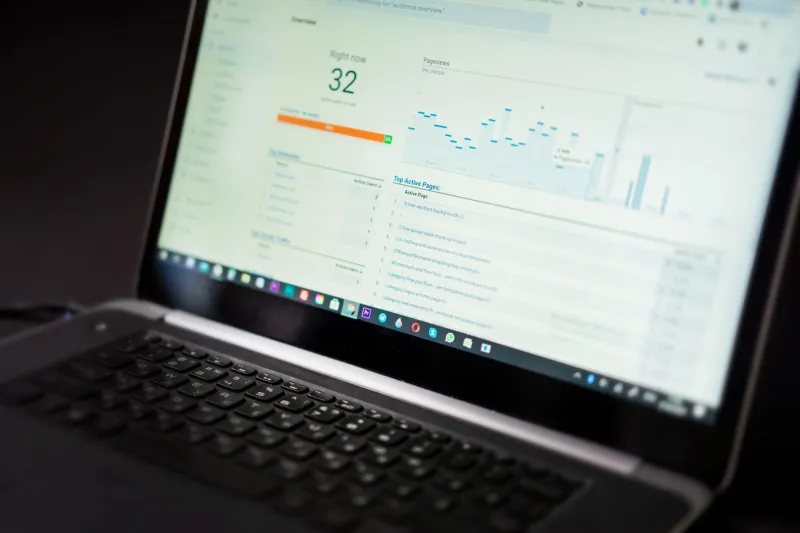
Open Google Analytics (or whatever analytics platform you use) and check whether it's actually tracking properly. Look at your real-time data — is it showing activity when you browse your own site? Check whether your goal conversions are set up and recording. Many UK business sites have analytics installed but completely unconfigured, meaning they're collecting data that tells them almost nothing meaningful.
Technical Debt: The Slow Puncture
Broken Links and Orphaned Pages
Use a free tool like Screaming Frog's SEO Spider (free up to 500 URLs) to crawl your site and identify broken internal links, missing page titles, duplicate meta descriptions, and pages that aren't being indexed by Google. These issues accumulate over time on any site that's been updated piecemeal, and they quietly erode your search visibility without triggering any obvious alarm.
Content That's Gone Stale
Scroll through your website as if you're a new visitor. Is any information out of date — old pricing, discontinued services, staff members who've left, events that have passed? Stale content doesn't just mislead customers; it signals to search engines that the site isn't being actively maintained.
What to Do With What You Find
Once you've worked through this checklist, you'll have a clearer picture of where your site stands. Some issues you can address yourself or ask your current designer to fix. Others — particularly around security architecture or significant performance problems — may require a more fundamental conversation about whether your current setup is fit for purpose.
The point isn't to generate anxiety. It's to give you the vocabulary and the evidence to have an informed conversation with whoever looks after your site. A good web partner will welcome these questions. One who deflects or dismisses them is telling you something important.
Your website is doing a job every single day, whether or not anyone's paying attention to it. It's worth knowing whether it's doing that job well.