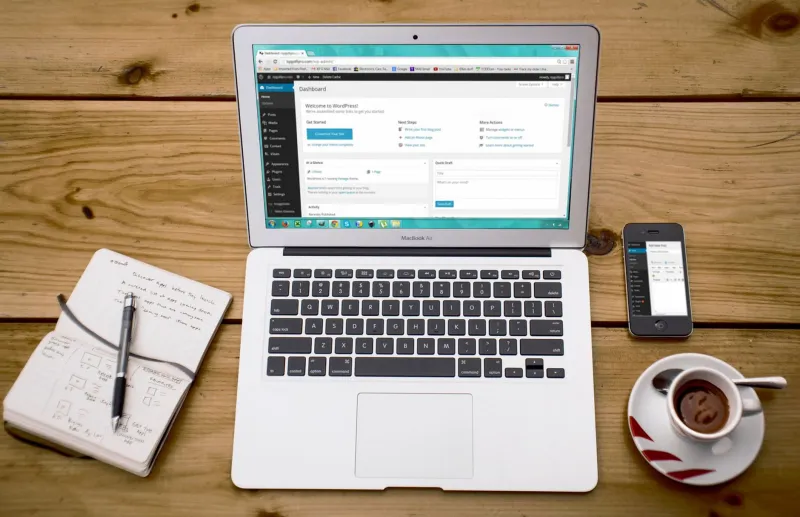
Your CMS Is a Ticking Clock and You've Been Ignoring the Alarm
There's a particular kind of digital negligence that's almost universal among small and medium-sized UK businesses. It doesn't look like negligence. It looks like being busy. It looks like a notification dismissed at 9am because there's a client call at 9:15. It looks like a WordPress dashboard sitting on "Updates available (14)" for four months because nobody wants to risk breaking something before the Christmas rush.
It's the changelog nobody reads. And it's leaving doors wide open.
The Breach That Wasn't Sophisticated
When most people imagine a website getting hacked, they picture something cinematic — a hooded figure running advanced exploits against a hardened target. The reality is far more mundane and far more preventable.
In 2017, Equifax lost the personal data of 147 million people. The attack vector? An unpatched vulnerability in Apache Struts. A fix had been available for two months. Nobody applied it.
Slide the scale down considerably and you've got thousands of British SME websites compromised every year through exactly the same mechanism — not zero-day exploits, not nation-state actors, but automated bots scanning for known vulnerabilities in outdated software. The bots don't care that you're a florist in Farnham or a solicitor in Sevenoaks. They're looking for versions. They find them constantly.
A 2023 report from the NCSC (National Cyber Security Centre) noted that the majority of successful attacks on UK organisations involved exploitation of known, patchable vulnerabilities. Not sophisticated techniques. Just neglect.
Why Updates Feel Like a Threat
Here's the honest version of why this happens: updating a live CMS is genuinely scary if you don't have a proper process. WordPress core updates, plugin updates, theme updates — any one of them can conflict with something else and take your site down. If you've ever hit "Update" and watched your homepage turn into a white screen of death, you understand the hesitation.
That fear is rational. The response to it — simply not updating — is not.
The problem isn't the updates themselves. It's the absence of infrastructure around them. Businesses that treat updates as a one-click gamble are operating without a safety net. Businesses with a proper maintenance process treat updates as routine, boring, and almost entirely risk-free.
The difference isn't technical sophistication. It's having a system.
What's Actually at Stake
Let's be specific about what running outdated software costs you, because "security risk" can feel abstract until it isn't.
SEO penalties. Google actively demotes sites flagged for malware. If your site gets compromised and starts serving spam links or phishing pages — which happens quietly, often without any visible sign — your rankings can collapse overnight. Rebuilding that trust takes months.
Data liability. If your site collects any personal data (contact forms, checkout pages, newsletter signups), you're operating under UK GDPR. A breach resulting from failure to apply available security patches is not a sympathetic case to make to the ICO. Fines aside, the reputational damage to a local business can be devastating.
Performance degradation. Updates aren't just security patches. They frequently include performance improvements, bug fixes, and compatibility enhancements. Running a two-year-old version of a popular plugin often means running slower, buggier code that doesn't play nicely with modern browsers.
Hosting complications. Many UK managed hosting providers are now enforcing minimum PHP versions and flagging sites running critically outdated software. Ignore updates long enough and your host may force the issue — at the worst possible moment.
Building an Update Schedule That Actually Works
The goal isn't to update everything the moment it's released. That's a different kind of recklessness. The goal is a structured, regular process that removes both the risk of outdated software and the risk of careless updates.
Start with staging. Any site worth maintaining should have a staging environment — a private copy of the live site where updates can be tested before deployment. Most decent hosting setups include this. If yours doesn't, it's worth asking about. Testing on staging means that even if an update causes a conflict, your live site is unaffected.
Automate backups before anything else. Before any update runs, a full backup should exist. This sounds obvious. It is obvious. And yet the number of sites that get updated without a recent backup is genuinely alarming. Automate this. Make it non-negotiable.
Establish a weekly or fortnightly review cadence. Not every update needs immediate action, but you should be reviewing available updates on a regular schedule rather than whenever you happen to remember. For most small business sites, a fortnightly update window is sufficient. High-traffic or e-commerce sites may warrant weekly attention.
Prioritise security patches. Not all updates carry equal weight. A critical security patch for a widely-used plugin should jump the queue. Most reputable plugin developers mark these clearly. Treat them differently from feature updates.
Document everything. Keep a simple log of what was updated, when, and whether any issues were observed. This is invaluable when something does go wrong and you need to trace the cause.
Maintenance as Competitive Advantage
This is the reframe that matters most for UK business owners: regular maintenance isn't a cost centre. It's a competitive position.
Your competitors are almost certainly not doing this properly. Their sites are accumulating technical debt, sitting on outdated dependencies, and presenting an ever-expanding attack surface. Meanwhile, a well-maintained site loads faster, ranks better, stays cleaner, and handles unexpected traffic without drama.
There's also a compounding effect. Sites that receive regular, careful attention tend to surface problems early — a plugin that's no longer maintained, a theme that's quietly incompatible with a new browser version, a performance issue that would have gone unnoticed for months. Catching these things in a routine check is infinitely less painful than discovering them when something breaks publicly.
At WebDorking, we've seen this dynamic play out repeatedly with clients across Surrey and beyond. The ones who invest in ongoing maintenance don't just avoid disasters — they consistently outperform equivalent competitors whose sites are quietly degrading.
The Boring Truth
Nobody gets excited about update schedules. There's no glory in a well-maintained changelog. But there is genuine, measurable value — in security, in performance, in compliance, and in the compounding returns of a site that's treated as a living business asset rather than a one-time project.
The front door analogy is a cliché for a reason. You wouldn't leave your office unlocked overnight because you were too busy to find the keys. Your CMS deserves the same basic respect.
Read the changelog. Apply the patches. Build the process. It's the least glamorous advice we'll ever give you, and possibly the most important.