When the Lock on the Front Door Is Just for Show: The Security Debt Silently Draining UK Businesses
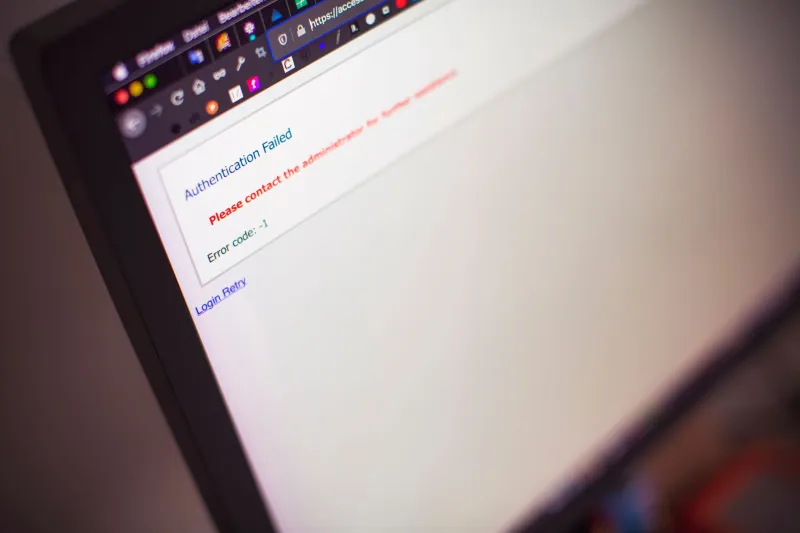
There's a particular kind of confidence that comes from having paid someone to sort something out. You sign off the invoice, the work gets done — or so you're told — and you move on. That's exactly how most UK business owners feel about their website security. Someone handled it. There's a padlock in the browser bar. Job done.
Except it isn't done. Not even close.
At WebDorking, we've looked under the bonnet of enough business websites to know that the gap between "we've secured your site" and "your site is actually secure" is wide enough to drive a lorry through. And when something goes wrong — and it does go wrong — the financial and reputational fallout makes your last rebrand look like a rounding error.
The SSL Certificate That Lulled You Into a False Sense of Security
Let's start with the most visible security signal on any website: the HTTPS padlock. Businesses see it and breathe easy. What they often don't know is that SSL certificates expire — typically every one to two years — and an alarming number of them do exactly that, quietly and without fanfare, while everyone assumes the renewal is on someone's to-do list.
An expired certificate doesn't just look bad. Modern browsers throw up full-page warnings that tell your visitors the site isn't safe. Customers bounce. Google notices. Your search rankings take a hit. And if you're running any kind of e-commerce or lead capture, you've effectively hung a "closed" sign on your own door.
The fix is trivially simple. The cost of not fixing it is not.
Unpatched CMS Cores: The Vulnerability Everyone Knows About and Nobody Fixes
WordPress powers somewhere in the region of 40% of the entire web. It's also one of the most frequently targeted platforms by automated bots scanning for known vulnerabilities. The irony is that most of those vulnerabilities have patches available — the problem is that nobody's applied them.
We've audited sites running WordPress versions that are two, three, even four major releases behind. The agencies managing them? Charging monthly retainers. The clients? Assuming that retainer included keeping things updated. It often doesn't, or it does in theory but not in practice.
A single unpatched plugin — not even the core CMS, just an add-on — was responsible for a wave of attacks on UK small business sites in recent years, injecting malicious redirects that sent visitors to phishing pages. The business owners found out when customers started ringing to ask why their website was trying to steal credit card details. The reputational damage took months to repair. The technical fix took a few hours.
Exposed Admin Panels: Leaving the Back Door Unlocked
Here's one that should make any web professional wince. By default, WordPress admin panels live at a predictable URL. So do the login pages for a dozen other popular CMS platforms. Bots know this. They hammer those URLs constantly, running credential-stuffing attacks using leaked username and password combinations from other breaches.
The solution — moving the admin URL, enabling two-factor authentication, restricting access by IP address — is neither expensive nor technically complex. But it requires someone to actually do it. And in too many cases, that someone assumed someone else had already handled it.
We've seen live business websites where the admin panel was not only accessible at the default URL but was showing the platform name and version number in the page title. That's not just an unlocked back door. That's an unlocked back door with a sign on it telling you exactly what tools to bring.
The Real Cost Calculation Nobody Wants to Do
Let's talk money, because that's ultimately where this lands.
The average cost of a small business data breach in the UK, according to government figures from the Cyber Security Breaches Survey, runs into thousands of pounds once you factor in downtime, remediation, customer notification, and any regulatory response. If personal data is involved — and on most business websites, some form of it is — you're potentially looking at ICO involvement and the possibility of fines under UK GDPR.
That's before you account for the less quantifiable stuff: the customer who saw the browser warning and never came back, the Google ranking that dropped while your site was serving malware, the local reputation damage in a community where word travels fast.
Compare that to the cost of a proper security audit. A thorough review of your SSL configuration, CMS version, plugin health, admin access controls, file permissions, and backup integrity typically costs a fraction of what a single breach will set you back. It's not glamorous work. It doesn't produce a shiny new homepage or a brand refresh deck. But it is, without question, better value for money than almost anything else you could spend your digital budget on right now.
What a Proper Audit Actually Looks Like
This is where we'd gently push back on the idea that running a free online scanner counts as a security audit. Tools like those have their place, but they're surface-level at best. A meaningful audit goes deeper.
It checks whether your SSL certificate is valid, correctly configured, and set to auto-renew. It verifies that your CMS core and every installed plugin or theme is running the current stable version. It tests whether your admin panel is accessible at default paths and whether brute-force protections are in place. It looks at your user accounts — are there old logins from developers who no longer work on the site? It checks your file permissions, your error reporting settings, whether your database prefix is still the default, and whether your backups are actually happening and actually restorable.
That last one catches people out more than almost anything else. Backups that exist but can't be restored aren't backups. They're a comfort blanket.
The Conversation You Need to Have With Your Agency
If you're paying a monthly retainer for website management, ask your agency directly: what does that cover in terms of security? Get it in writing. Ask when the last security review was carried out and what it found. Ask whether your CMS and plugins are on the current stable versions. Ask whether your SSL certificate is set to auto-renew.
A good agency will answer these questions without hesitation and with documentation to back them up. An agency that gets defensive or vague is telling you something important.
At WebDorking, we've built our practice around being the kind of team that gives straight answers — because we're based here in Surrey, we work with local businesses, and we know that our reputation is tied directly to yours. When something goes wrong with a client's site, it's not an abstract support ticket. It's a conversation we have face to face.
Security Isn't a Feature. It's a Foundation.
The rebrands, the new photography, the homepage redesigns — those are the visible investments that feel exciting to make and easy to justify. Security work is invisible when it's done right, which is precisely why it gets deprioritised.
But the businesses that treat security as an ongoing discipline rather than a one-off checkbox are the ones that don't end up in the painful position of explaining to their customers why their website just tried to steal their data.
The lock on the front door needs to actually work. Make sure yours does.